Best AI coding tools for solopreneurs (2026)
The best AI coding tools for a solo builder — Cursor, Claude Code, GitHub Copilot, Windsurf and Replit compared honestly for vibecoding real software, including the usage-cost trap nobody warns you about.

Solo operator · one-person venture studio in Europe (SEO · affiliate · micro-SaaS) · 21 June 2026 · updated 16 July 2026 · 6 min read

If vibecoding is the solo superpower, these are the tools that wield it. But “AI coding tool” now covers two different things, and conflating them wastes money: AI coding tools (this roundup) assist you inside a real codebase — you stay in control; no-code AI app builders (Lovable, v0, Bolt — in the AI website builders roundup) generate an app you may never see the code of. This is the shortlist for building real software solo — with the honest part most reviews skip: the usage-cost trap.
How I evaluated these. For a solo, an AI coding tool should: fit how you already work, take on real multi-file work (not just autocomplete), keep you in control of what ships, and have predictable enough cost. Fast-moving field — pricing, limits and capabilities below are indicative 2026 and change often; verify on each vendor’s page.
At a glance
| Tool | Best for | Form | Cost shape |
|---|---|---|---|
| Cursor | Best all-round AI editor | AI-native IDE (VS Code fork) | Seat + usage on heavier tiers |
| Claude Code | Most capable agentic coder | Terminal / agentic | Seat + token usage (can add up) |
| GitHub Copilot | Cheapest, most integrated assist | Plugin in your IDE | Flat, low |
| Windsurf | Strong Cursor alternative | AI-native IDE | Seat + usage |
| Replit | Build & ship from the browser | Cloud IDE + agent + hosting | Seat + usage/credits |
1. Cursor — the best all-round AI editor
Cursor

Cursor is an AI-native fork of VS Code, and for most solo builders it’s the sweet spot: familiar editor, excellent inline autocomplete, a strong chat that knows your codebase, and an agent mode for multi-file changes — without leaving the IDE you already think in.
Pros: balances autocomplete + chat + agent well; feels like home if you know VS Code; great codebase awareness. Cons: the genuinely powerful agent/model usage sits on paid tiers and can rack up usage cost; another editor to adopt if you’re not on VS Code.
Best for: the solo who wants one tool that does 80% of everything, in a familiar editor.
2. Claude Code — the most capable agentic coder
Claude Code

Claude Code works from the terminal as an agent: give it a task and it reads, plans, edits across many files and runs commands, fairly autonomously. For big refactors and “build this whole feature” work, it’s the most capable of the bunch — and it’s what a lot of portfolio-running solos reach for. (Full disclosure: this very project is built with it.)
Pros: strongest at large, multi-file, agentic tasks; terminal-native fits scripting/automation workflows; excellent at planning + executing whole changes. Cons: token usage can climb fast on big tasks (the cost trap above); terminal-first won’t suit those who want a visual IDE; still needs you to review and verify what it ships.
Best for: experienced solos doing large changes across a real codebase at portfolio speed.
New to Claude Code? This referral link gives you $10 of credit to try the agentic coder this whole site is built with. (Referral link — it credits us if you sign up, at no cost to you.)
3. GitHub Copilot — cheapest, most integrated
GitHub Copilot

The original, and still the most painless to adopt: Copilot drops into VS Code, JetBrains and others as a plugin, with strong inline suggestions and a chat that’s steadily gained agentic features. If you want AI help in the editor you already use at the lowest predictable price, start here.
Pros: cheapest and most predictable cost; integrates into existing editors (no migration); huge adoption and ecosystem. Cons: less aggressively agentic than Cursor/Claude Code for big multi-file work; the deepest features trail the AI-native IDEs.
Best for: solos who want low-cost, low-friction AI assist without changing tools.
4. Windsurf — the strong Cursor alternative
Windsurf

Windsurf (formerly Codeium) is the main rival to Cursor: another AI-native IDE with a strong agentic flow that many builders prefer for its focus and UX. Worth trialling head-to-head with Cursor — the “better” one is genuinely down to taste and your codebase.
Pros: polished agentic experience; credible Cursor alternative; free tier to test. Cons: smaller ecosystem than Cursor/Copilot; same usage-cost dynamics on heavier use.
Best for: solos who want an AI-native IDE and don’t gel with Cursor.
5. Replit — build and ship from the browser
Replit
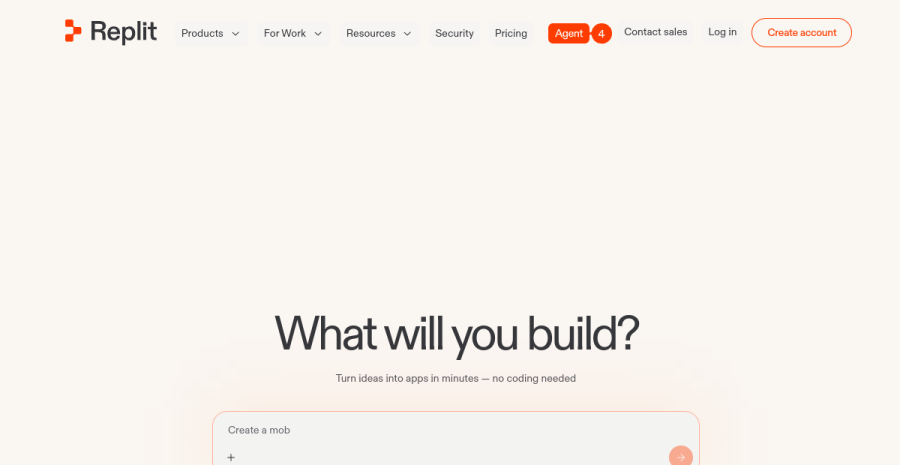
Replit is a cloud IDE with an AI agent and built-in hosting — code, run and deploy without setting up a local environment. It straddles the coding-tool / app-builder line, which makes it a friendly on-ramp for less technical solos who still want a real, deployable codebase.
Pros: zero local setup; build → run → deploy in one place; beginner-friendly agent. Cons: agent credits/usage can add up; less suited to large or performance-critical projects than a local pro setup.
Best for: solos who want to build and ship from the browser, or are bridging from no-code to code.
How to choose
| If you… | Use |
|---|---|
| Want one great all-round AI editor | Cursor |
| Do large, agentic, multi-file work | Claude Code |
| Want cheap assist in your current editor | GitHub Copilot |
| Want a Cursor alternative | Windsurf |
| Want build-and-deploy in the browser | Replit |
| Can’t read code yet | A no-code AI builder first |
The blunt version: Cursor or Windsurf if you want an AI-native editor, Claude Code for heavy agentic work, Copilot for cheap integrated assist, Replit to build in the browser. Most have a free tier — trial two and let your own workflow decide. And whichever you pick: budget for usage, and verify the live result — a green build still ships bugs.
Where this fits
These power the vibecoding workflow — the experienced end of it. Pair them with the right AI tools for the non-coding work, and remember the bottleneck moved: once building is cheap, the hard part is getting found and getting paid.
Two adjacent categories to know. For the design layer — dragging, restyling and moving blocks in your real repo — see the AI visual editors for real codebases (Onlook, Builder.io), which commit to your own code rather than a sandbox. And a newcomer worth watching: Antigravity, Google’s agentic IDE that generates Next.js + Tailwind and visually verifies its own output in a browser — this category moves fast, so re-check the field before you commit to one tool.
Still choosing your main general-purpose LLM (and noticing Claude keeps coming up for coding)? The head-to-head is in ChatGPT vs Claude for solopreneurs.
Cross-links: new to building with AI? Start with vibecoding for solopreneurs, and for no-code app generation see the AI website builders roundup.
Frequently asked questions
What is the best AI coding tool for a solo developer or vibecoder?
AI coding tools vs no-code AI app builders — what is the difference?
How much do AI coding tools really cost?
Do I need to know how to code to use these?
Keep reading

Best AI visual editors for real codebases (2026): Onlook vs Builder.io vs Anima
The third kind of AI build tool nobody groups together: visual editors that edit your REAL code, not a sandbox. Onlook, Builder.io Fusion, Anima, Tempo and Figma Make compared — drag-and-drop and design polish that lands as commits in your own Next.js + Tailwind repo, so it fits a Claude Code + git workflow instead of replacing it.
Idea to MVP in a weekend (2026): the solo vibecoding sprint
A realistic, time-boxed plan to take one idea from nothing to a shippable MVP in a weekend with AI — what fits in 48 hours, what does not, and how to use the build to validate instead of just to build.
Vibecoding debt: how not to drown in AI-generated code (2026)
AI lets a solo generate far more code than they can understand or maintain. That gap is vibecoding debt — technical debt at AI speed. What it is, when it bites, and the habits that keep a solo from drowning in it.
Everything here is free. If something saved you time, you can support the author — no product, no signup.